
SurfWise
Solo mobile app concept · 2026
Project at a glance
- Challenge
- Raw forecast data does not clearly answer whether a surf spot is right for this person, right now.
- Design response
- Combine conditions, skill level, best-time windows, and alerts into one clear recommendation.
- Current state
- A mobile concept that turns complex data into a go, wait, or choose-another-spot decision, ready for validation.
Project details
- Platform
- Mobile app
- My role
- UX research
UX/UI design
Visual design
Product thinking - Team
- Solo project
- Timeline
- 3 weeks
Research, UI design, and prototype - Category
- Surf / forecasting / outdoor sport

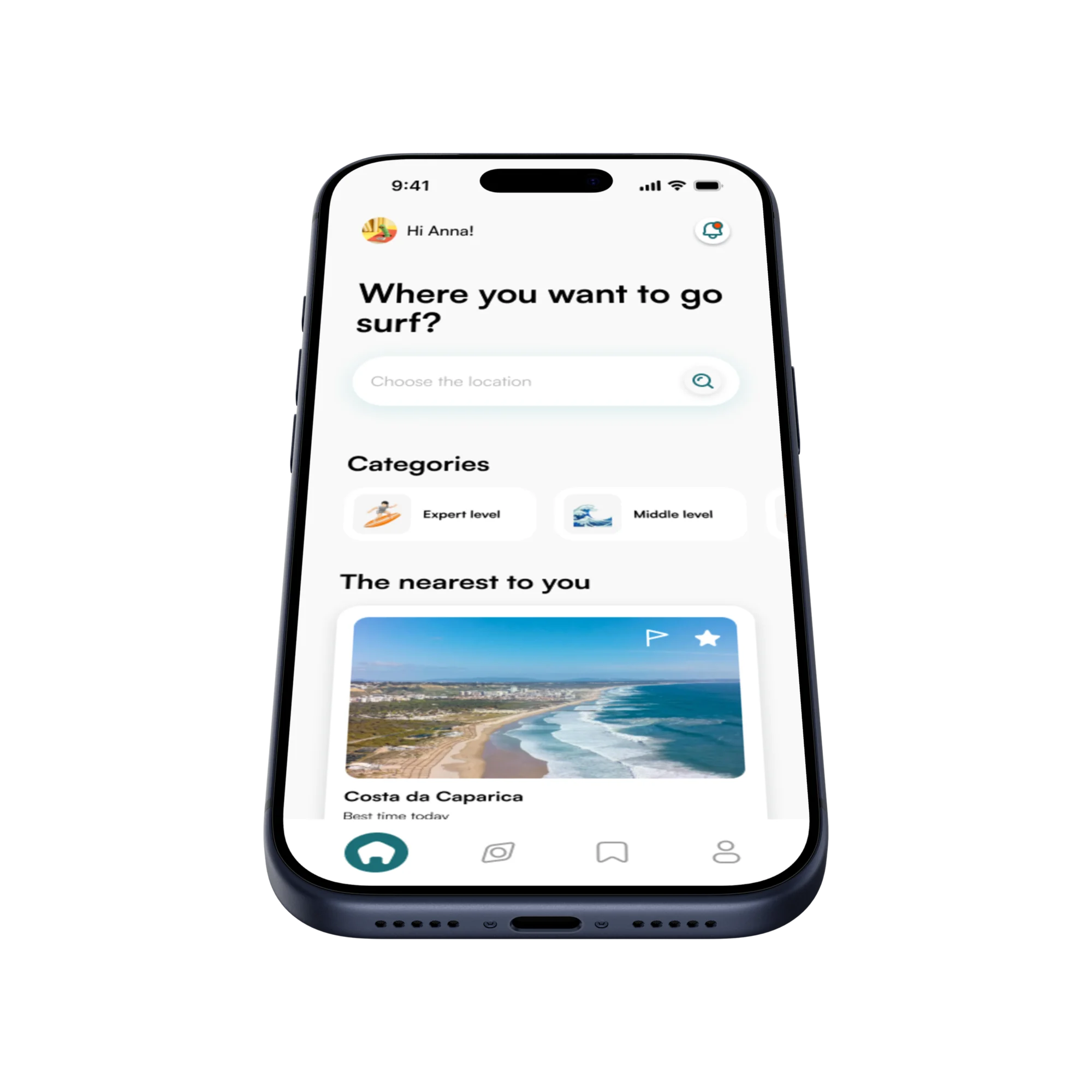
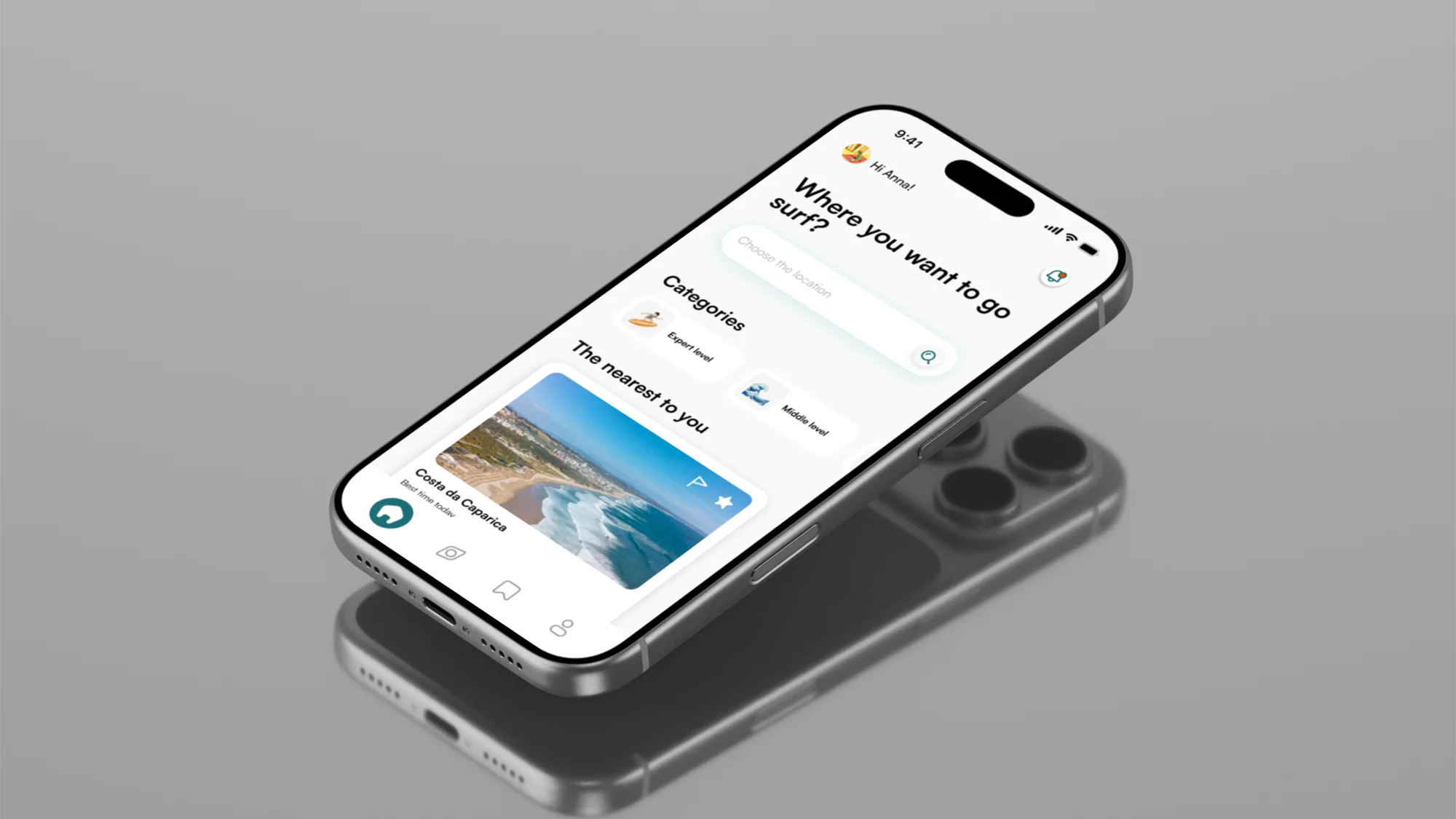
The interface prioritises one decision: is this the right place and time for me to surf?
Why forecasts need interpretation
Forecast tools provide useful numbers, but the user still has to understand how those conditions interact at a specific beach.
That interpretation changes with timing, local conditions, and skill level. The same forecast can describe a good session for one surfer and an unsafe one for another.
The need
Surfers need a faster way to understand whether a spot is worth visiting without checking multiple forecast apps, webcams, tide charts, and weather sources.
The opportunity
Create a simple mobile experience that helps users check conditions, save favourite beaches, and know when the ocean is ready for their level.
Problem statement
Surfers often piece together wave height, wind, tide, and swell from separate sources. Because those numbers rarely account for skill level or how a beach responds, the forecast check still leaves the final decision unclear.
Surfers often check forecasts, webcams, tide charts, weather apps, maps, and local knowledge before going out. This makes the decision slower and more fragmented.
Wave height, swell period, wind direction, tide, and safety alerts are useful, but they are not always easy to translate into the quality of an actual session.
The same beach can be exciting for an advanced surfer but too difficult or unsafe for a beginner. A generic forecast does not always show whether the spot is right for them.
Solution
SurfWise turns complex surf conditions into simple, personal recommendations. It combines saved spots, best-time windows, wave and wind data, tide information, safety alerts, and skill-level guidance to help users decide whether to go now, wait, or choose another beach.
Challenge
The challenge was to simplify technical surf information into a clear decision-making experience while keeping enough detail for users to trust the conditions and choose the right spot.
Research
I reviewed surf forecast platforms, beach safety resources, and the way surfers decide before entering the water, focusing on what helps people choose the right spot, time, and conditions.
Surfers are not only looking for forecast data. They are trying to answer one simple question: is this the right moment and the right place for me to surf?
Timing is the main need
A beach can be good in the morning and poor a few hours later because of wind, tide, or swell changes. Surfers are not only checking where to go, but when to go.
Conditions work together
A good session depends on wave height, swell period, swell direction, wind, tide, and how each beach reacts to those conditions—not on one forecast number alone.
Skill level changes the answer
The same conditions can feel exciting to an advanced surfer and unsafe to a beginner. Recommendations need to be personal, clear, and grounded in ability.
User flow
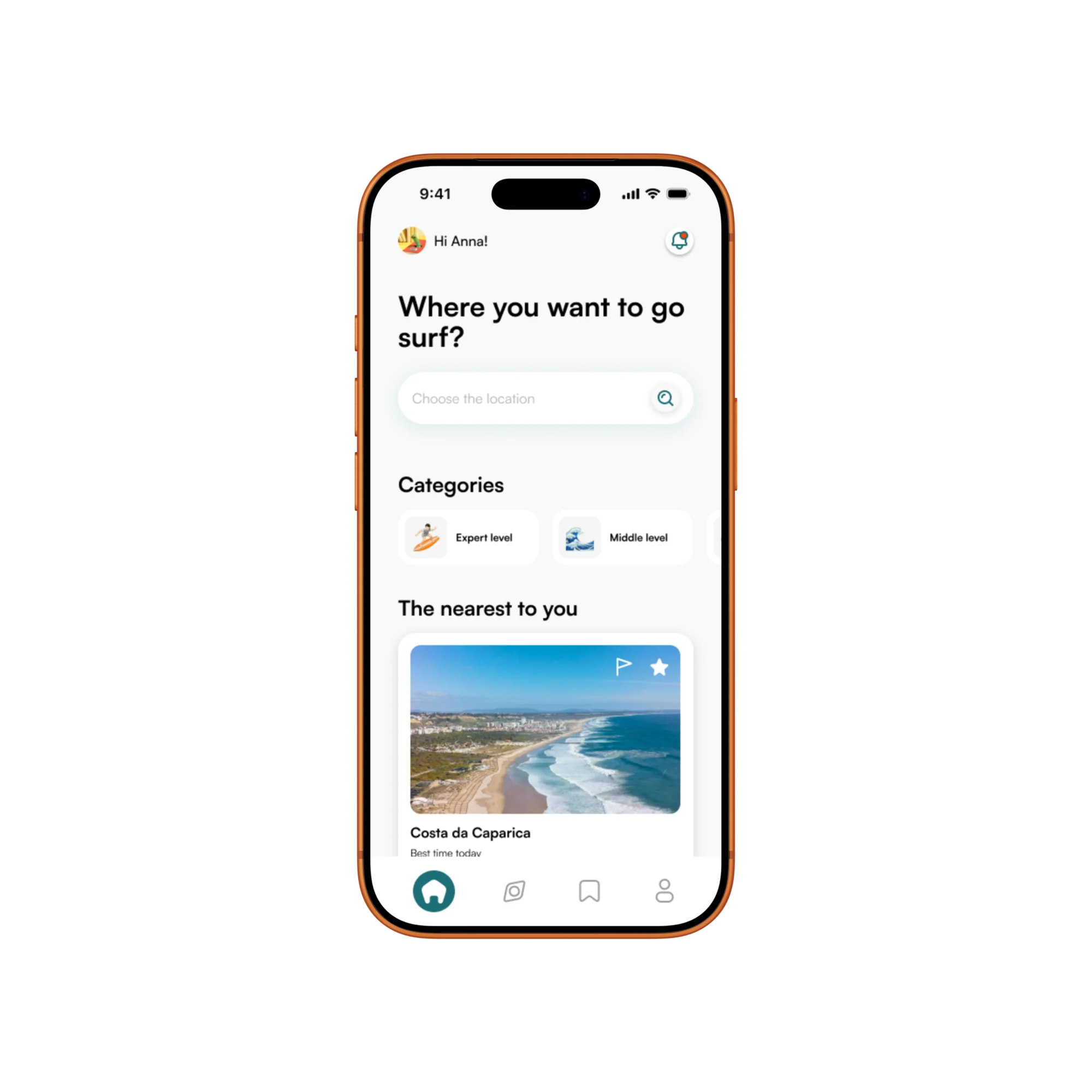
A journey designed to help users enter the app, find a surf spot, check the best time to go, and save the place for later.
The flow reduces uncertainty. Users move from login to location, then search, condition checking, and saved spots in a clear step-by-step process.
Primary journey
From opening the app to returning at the right time
Start
Open the app
Log in
Email and password
Set location
Country and city
Home
Personal overview
Search surf spot
Explore nearby beaches
Check best time
Review conditions
Save spot
Keep it for later
Receive alerts
Return at the right time
Condition data
Three signals help users understand whether a spot is worth saving or whether they should keep searching.
Outcome
A confident decision, not another forecast.
From Search to Spot
This interaction shows how users move from choosing a broad location to finding a specific surf spot, comparing conditions, and opening the final place before deciding whether it is worth saving.
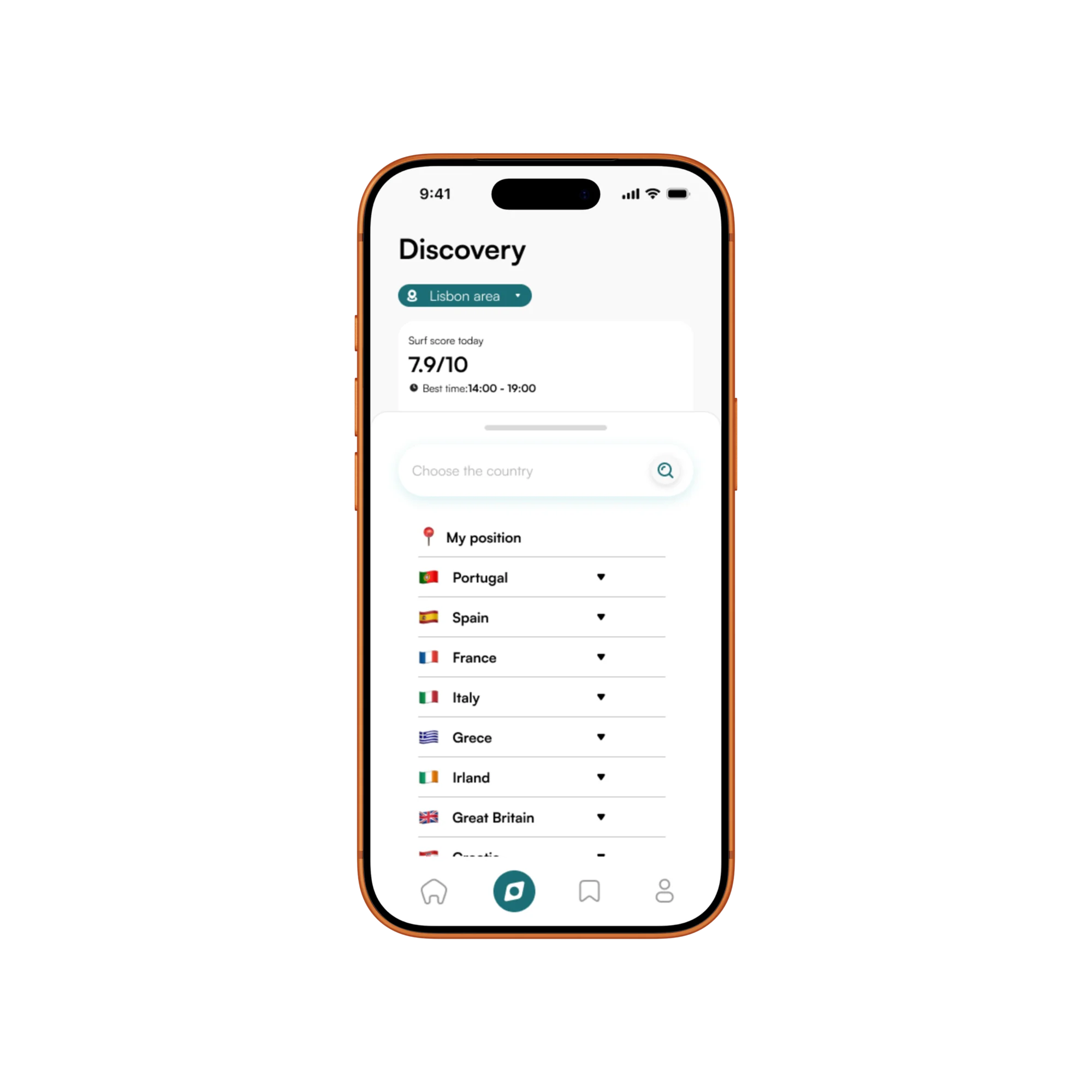
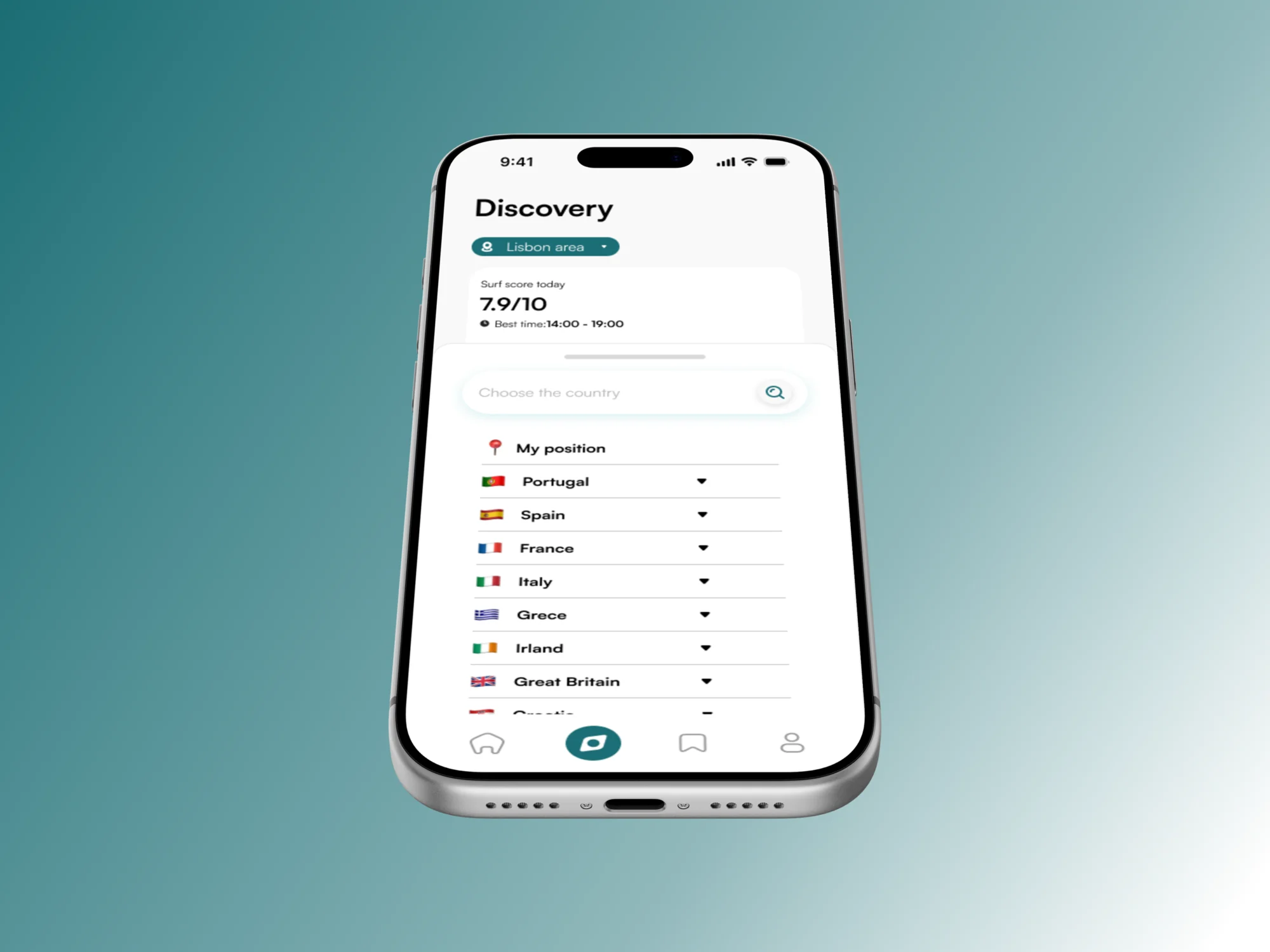
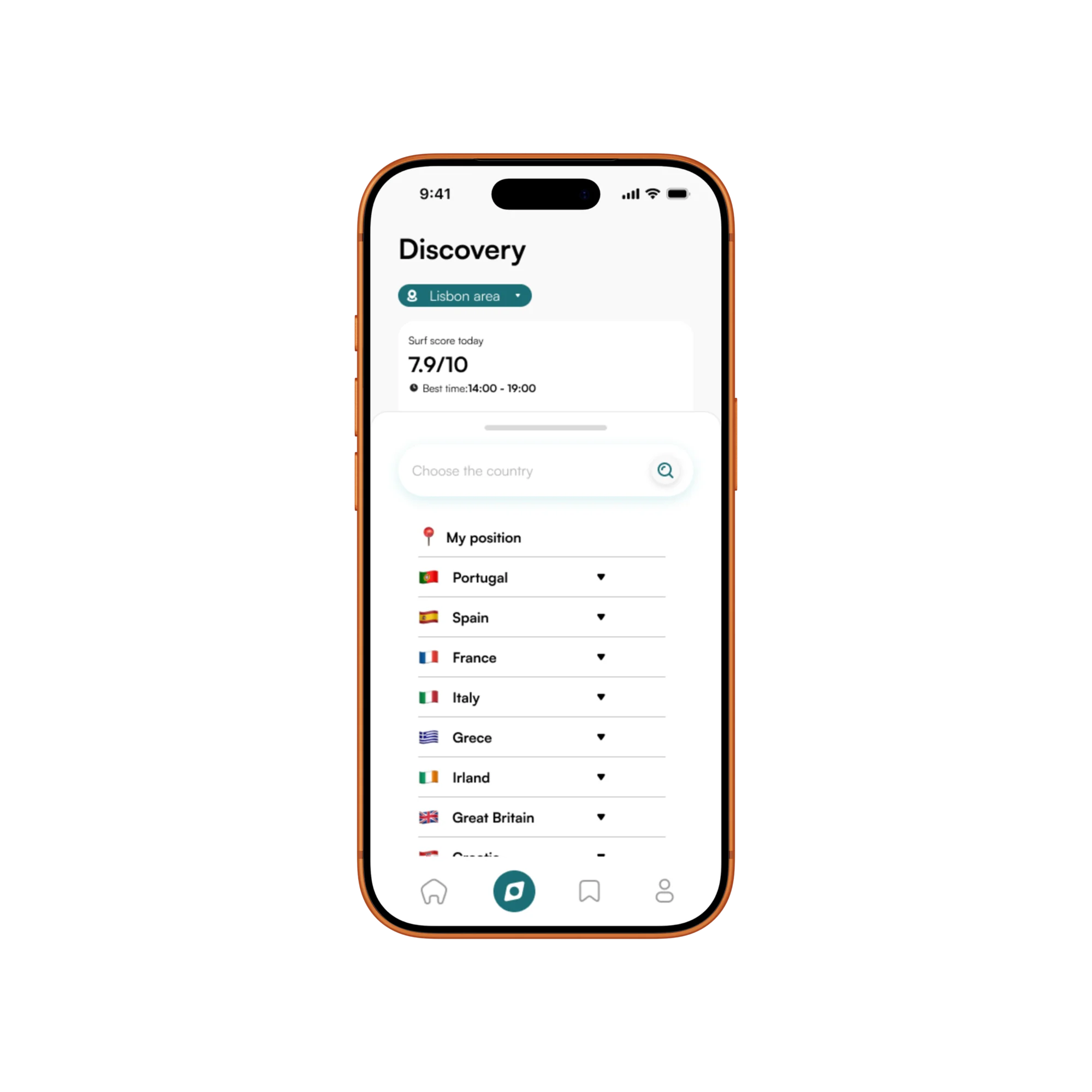
Choose country
Users start with a broad location search, selecting the country where they want to surf. This helps the app organise spots by region instead of showing too many places at once.
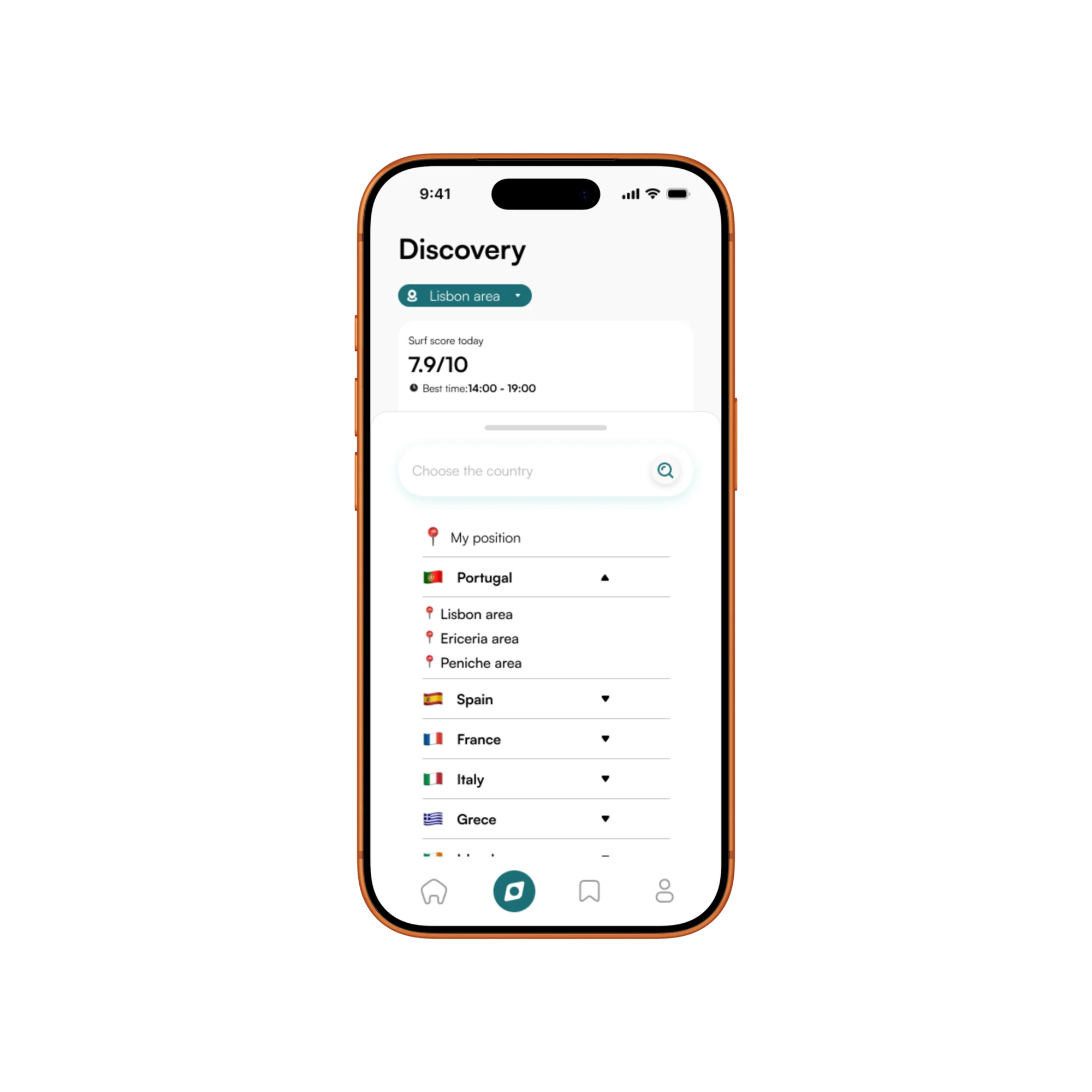
Choose area
After selecting a country, users narrow the search to a specific area or city. This makes discovery faster and helps them find relevant surf spots nearby.
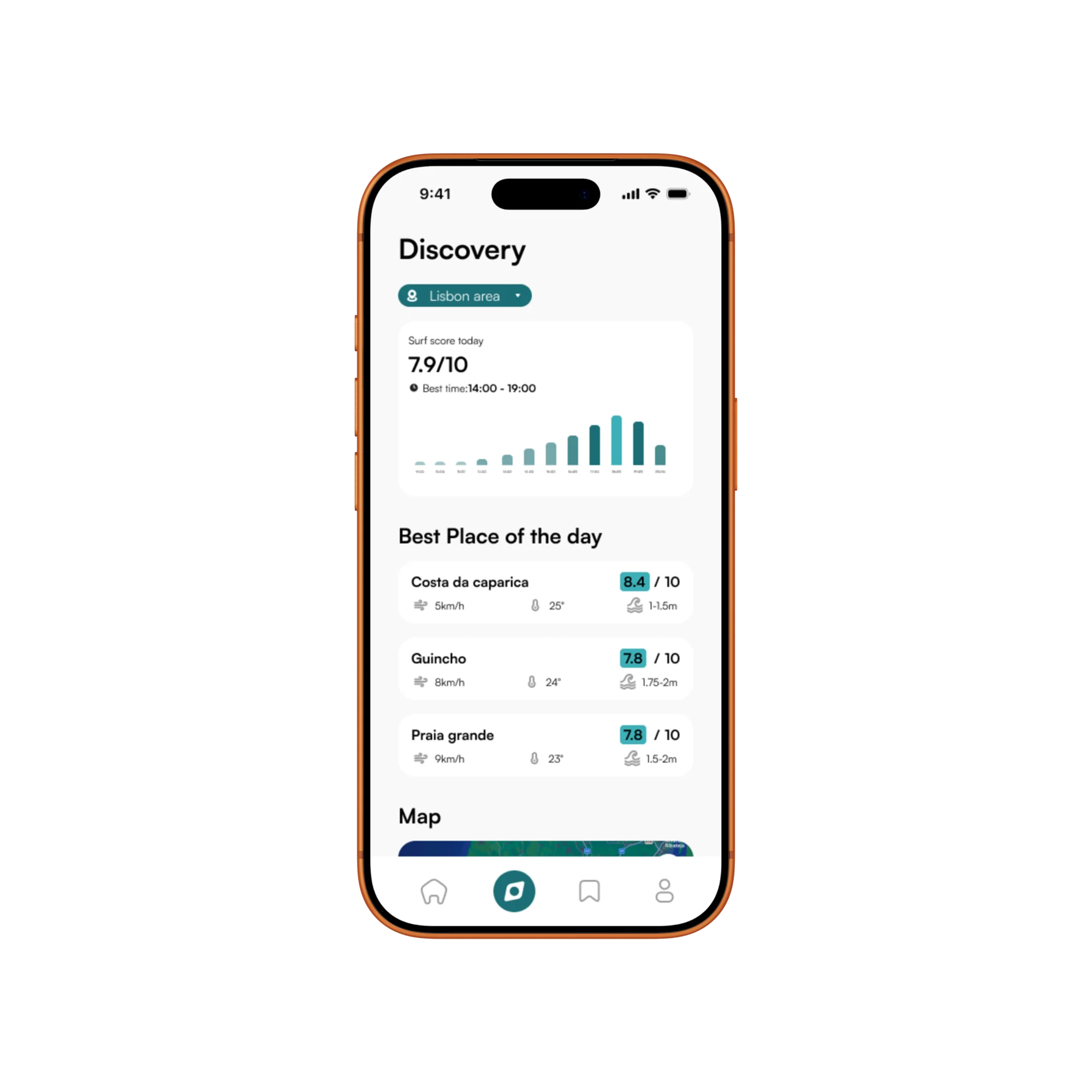
Compare surf spots
The app shows the best places of the day with key condition data such as score, wind, temperature, and wave height, helping users compare options before opening a spot.
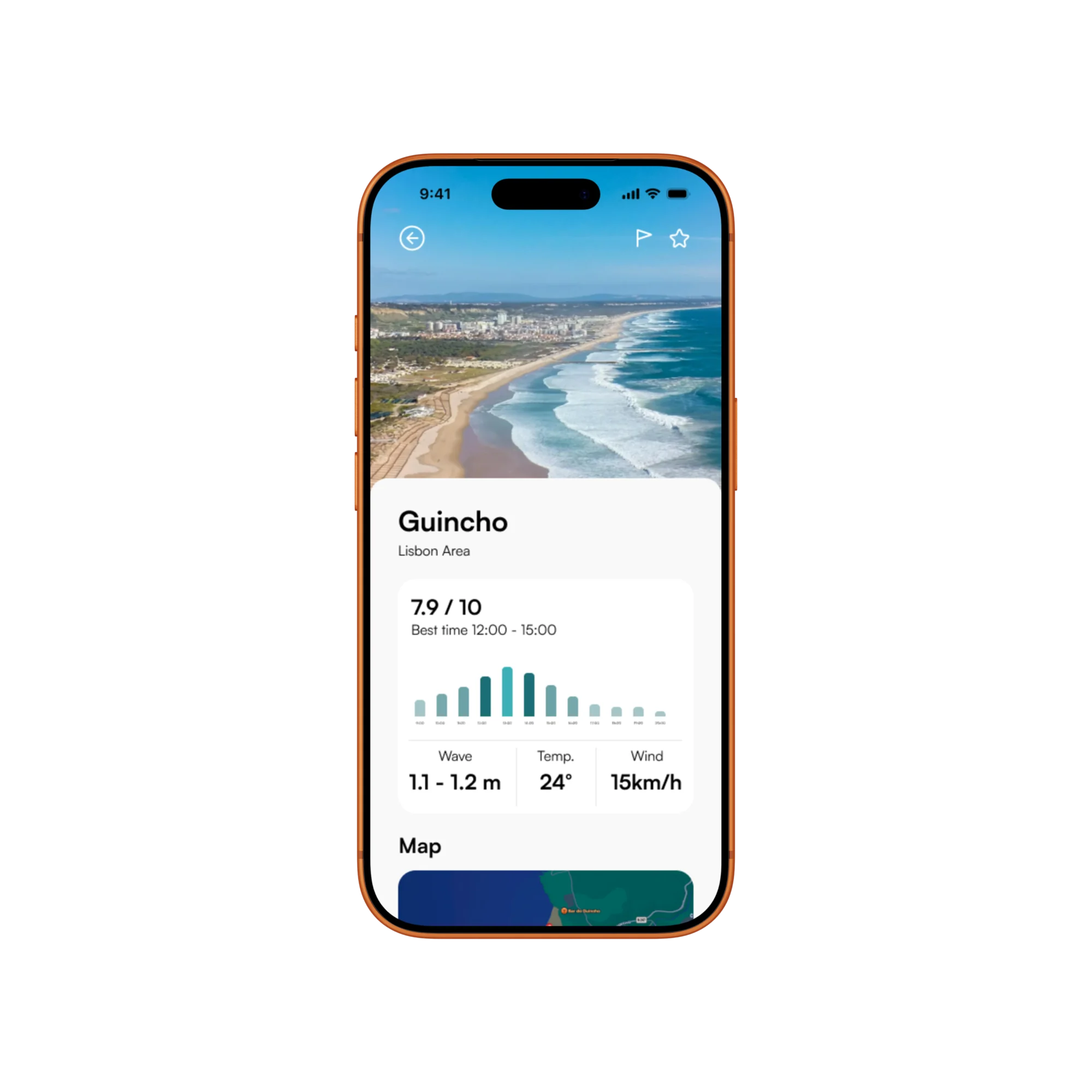
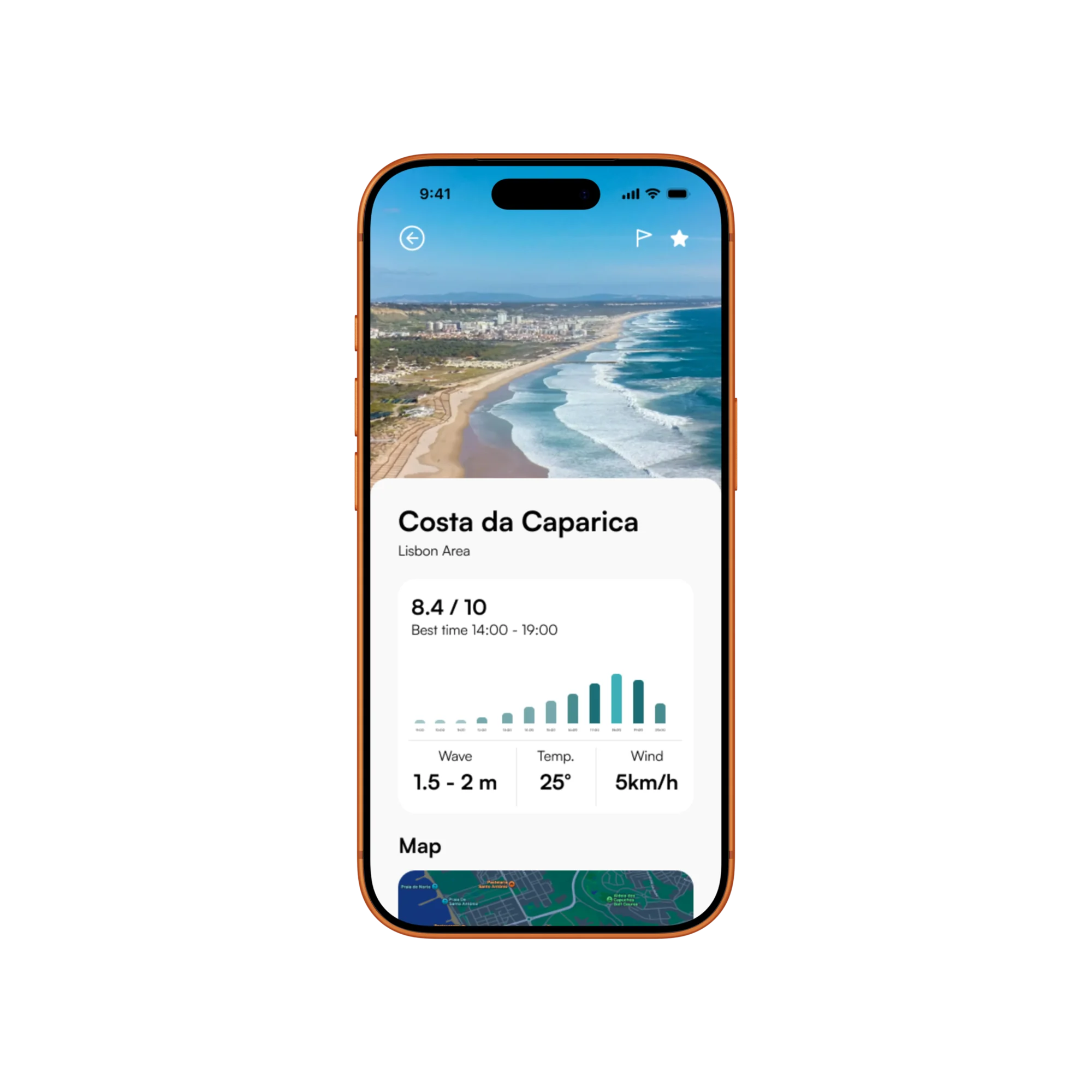
Open spot details
Users open a surf spot to see its image, condition score, wave chart, forecast data, and map. From here, they can decide whether the place is worth saving.
Visual design
The visual direction feels calm, clear, and ocean-focused, using rounded cards, strong surf photography, open spacing, and teal accents to guide important actions.
Colour & mood
An ocean-inspired teal palette balances energy with clarity and connects the interface to water, weather, and coastal conditions.
Colour palette
#1B6E75
#000000
#F9F9F9
#FFFFFF
#9B9B9B
#B2B2B2
#3CB0B8
Typography
Satoshi gives the interface a clean, contemporary voice with enough weight and range for both clear hierarchy and compact forecast data.
Satoshi
Title · 40px · 32px · 24px · 16px · 12px · 8px
Logo
A simple mark combines the initials of SurfWise with the silhouette of a surfboard.

S symbol of the surf

W for the wise side

The combined surfboard mark
From forecast to confidence, SurfWise turns surf planning into a clearer and safer experience.
SurfWise helps surfers understand not only where to go, but when the conditions are worth it. By combining location, wave height, wind, temperature, saved spots, and alerts, the app turns complex surf data into a simple decision-making flow.
Key takeaways
Clarity over data
Surf conditions can be technical and difficult to read. The goal was to translate raw numbers into simple, useful guidance.
Timing creates direction
A surf spot is not always good all day. Showing the best time window helps users plan around changing conditions.
Saving completes the journey
Saved spots and alerts make the app useful beyond one search, helping surfers return when conditions improve.
Continue exploring
Next case study
AI planning SaaS · Product design
EvolvIdea
A structured workspace that turns rough ideas into practical, editable blueprints instead of another long AI response.
Looking for a product designer?
I’m interested in thoughtful product teams, UX/UI roles, and collaborations where clear thinking and strong visual craft matter.